For accounting partners
Recommend – we will thank you every month.
Your clients subscribe and pay directly. You keep track of all your client accounts in one place and receive 15 % commission on the app prices paid, for as long as your customers are active.
Free partner access
One login for your accounting firm: referral link and code, your client accounts with products subscribed to, contract status, free month and term, invitations and commissions. Free of charge for you.
15 % commission
On the base price paid, app prices including employees and additional companies, excl. VAT, for as long as your customer is active. Data migration, SMS, post, AI packages, storage, additional emails and a dedicated server are excluded. No commission accrues during the free month. Settlement is monthly by credit note.
Your customers remain independent
Your customers pay the regular price – no surcharge, no discount, no resale. You only see content such as HR or financial data if the customer’s administrators expressly grant access.
For accounting partners
Recommend. Support. Share in the success.
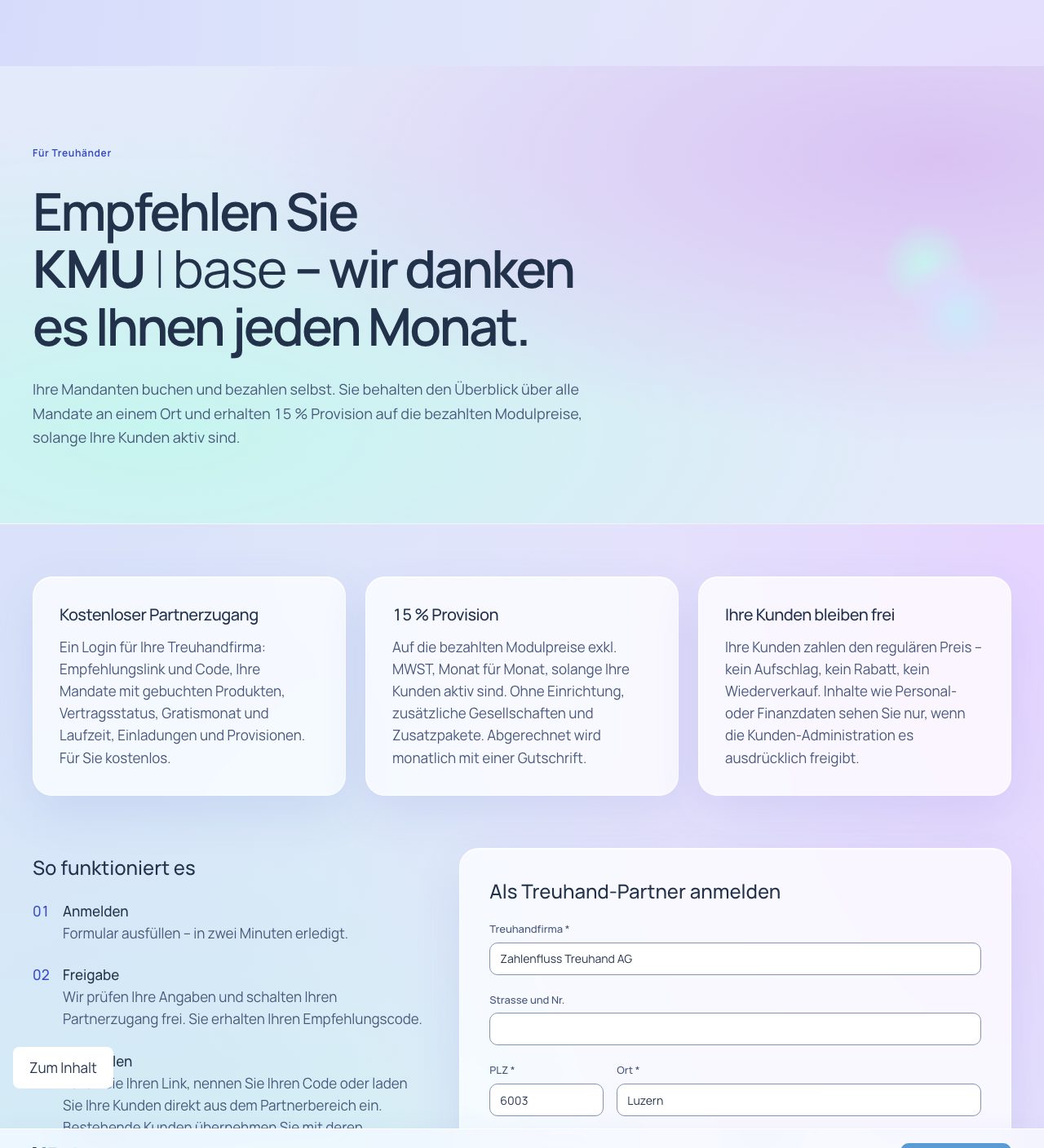
Become a partnerApply, get verified, receive partner access.5 features
You apply online. Once verified, we activate your partner access – with your contact person as administrator and your own referral code.
All features
- Online application with confirmation of receipt and personal code (TH-…).
- Review and approval by : applied, verified, active.
- Partner access with your contact person as administrator.
- An existing customer account of your firm can be linked.
- Enter payout details; we verify them before the first payout.
Your benefits
- Easy to start. Online application with confirmation of receipt.
- Clear review. Status from “applied” through “verified” to “active”.
- Your own access. Partner area with your contact person as administrator.
Roles and permissions
- The partner area is used by your partner access administrators.
Does the partnership cost anything?
No. Partner access is free of charge.
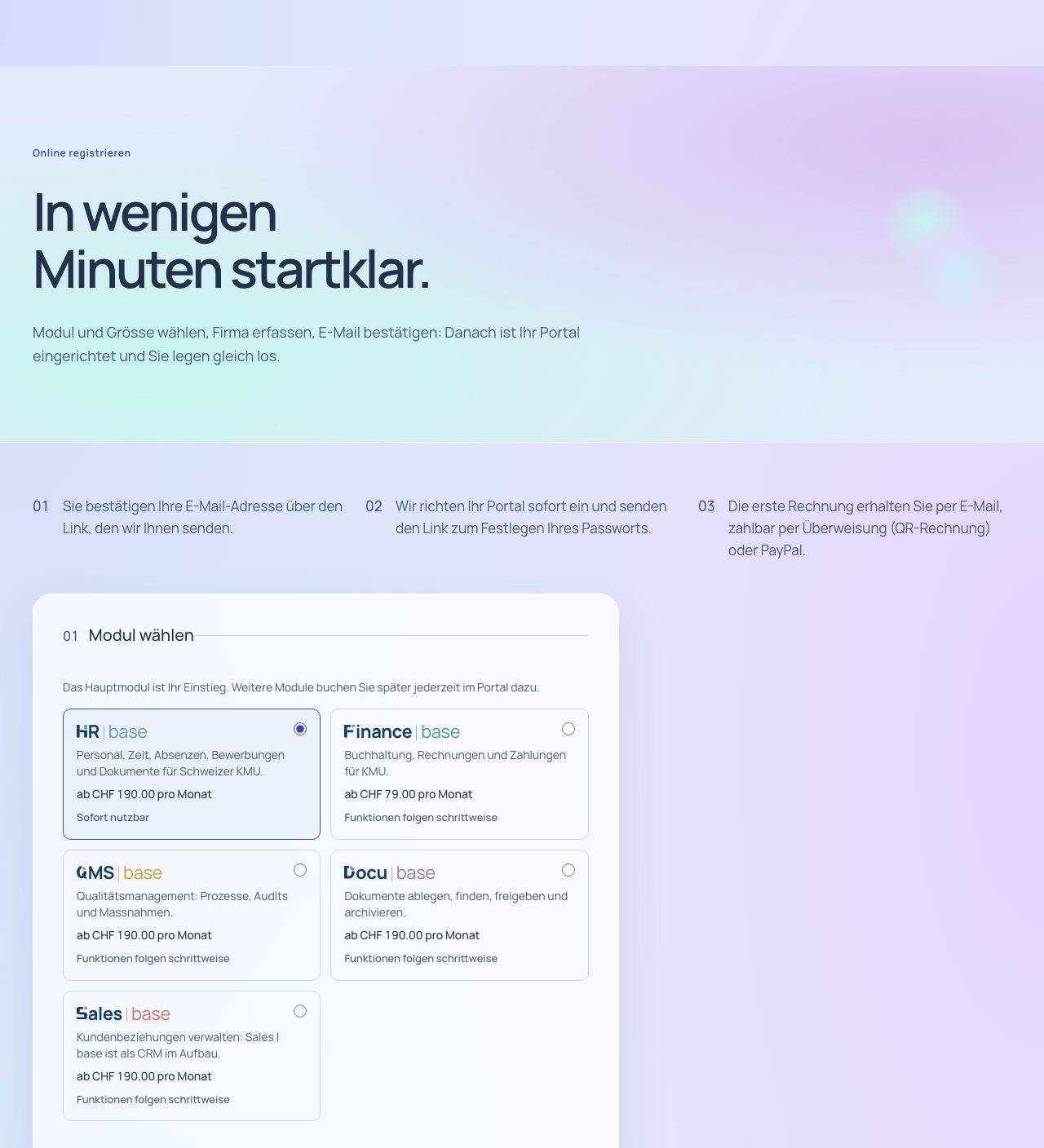
Recommend and inviteRecommend with your link or code – or invite clients directly.5 features
Your referral link and code assign new clients to you. You can also invite clients directly; the invitation only goes out when you click.
All features
- Your own referral link and code.
- Code in the subscription and pre-registration forms, without cookies.
- Your referral link with code leads directly to online booking.
- Invite clients: pre-registration with your reference, sent only via “Send invitation” and at most once every seven days.
- Link to delete the details in every invitation (FADP).
Your benefits
- No cookies. Assignment works via the link or the code in the form.
- Personal invitations. Invitation with your reference, sent only on your click.
- Data protection built in. Invitees can have their details deleted at any time.
Roles and permissions
- Inviting and using the referral link: your partner access administrators.
What if my client forgets the code?
We can assign the client afterwards on request; a client always belongs to one partner at most.
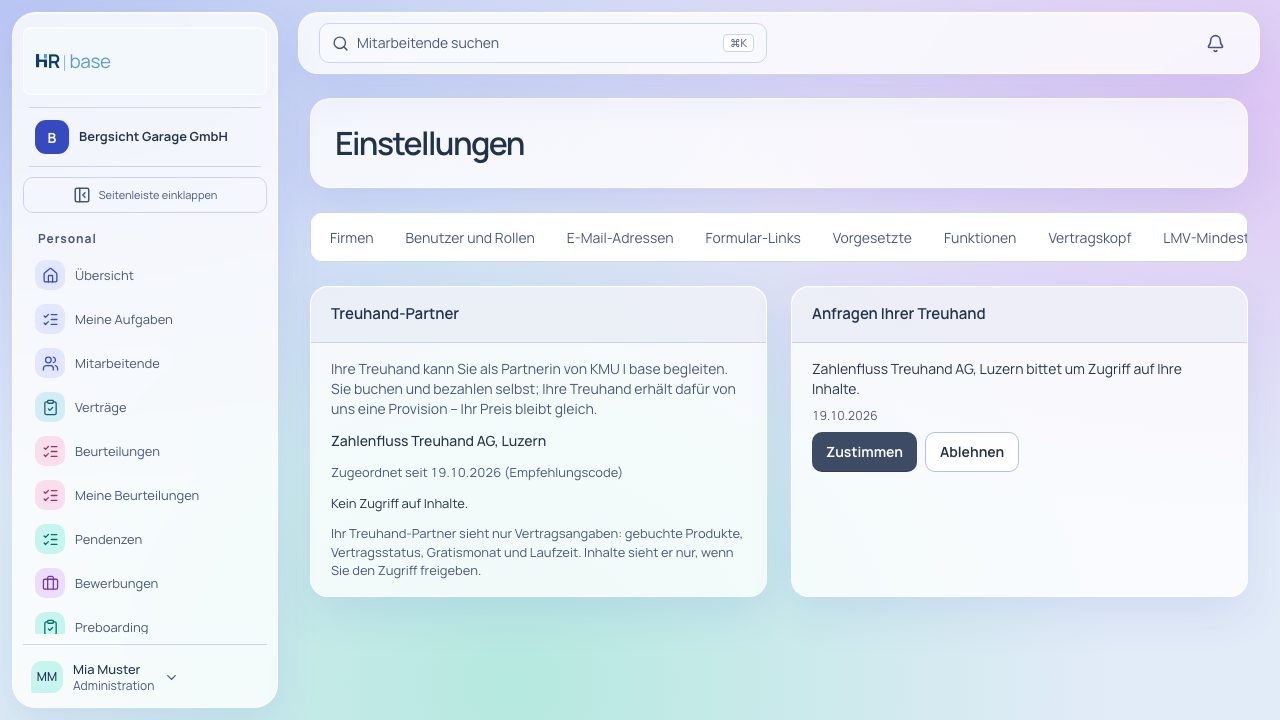
Client accounts and accessYour client accounts at a glance – access only with your clients’ consent.6 features
In the partner area, you see your client accounts with their apps, contract status, free month and term. You can access content only if the client’s administrators grant it.
All features
- Automatic assignment on subscription via code or invitation; at most one partner per client.
- Takeover of existing clients only with the consent of the client’s administrators.
- Switch to another fiduciary only with consent.
- Access to content only once granted by the client’s administrators, revocable at any time.
- Partner area with client accounts, apps, contract status, free month, term, invitations and requests.
- Fiduciary access at the client in with the fiduciary role template (read, post, export), included.
Your benefits
- Everything in view. Client accounts, contracts, invitations and requests in one place.
- Clear consent. Access to content only with the client’s approval.
- Clean handovers. Takeover and transfer only with consent.
Roles and permissions
- Access is granted and withdrawn by the client’s administrators.
- Your permissions in the client’s account depend on the role the client gives you.
Can my client withdraw access again?
Yes, at any time in the settings under “Fiduciary”.
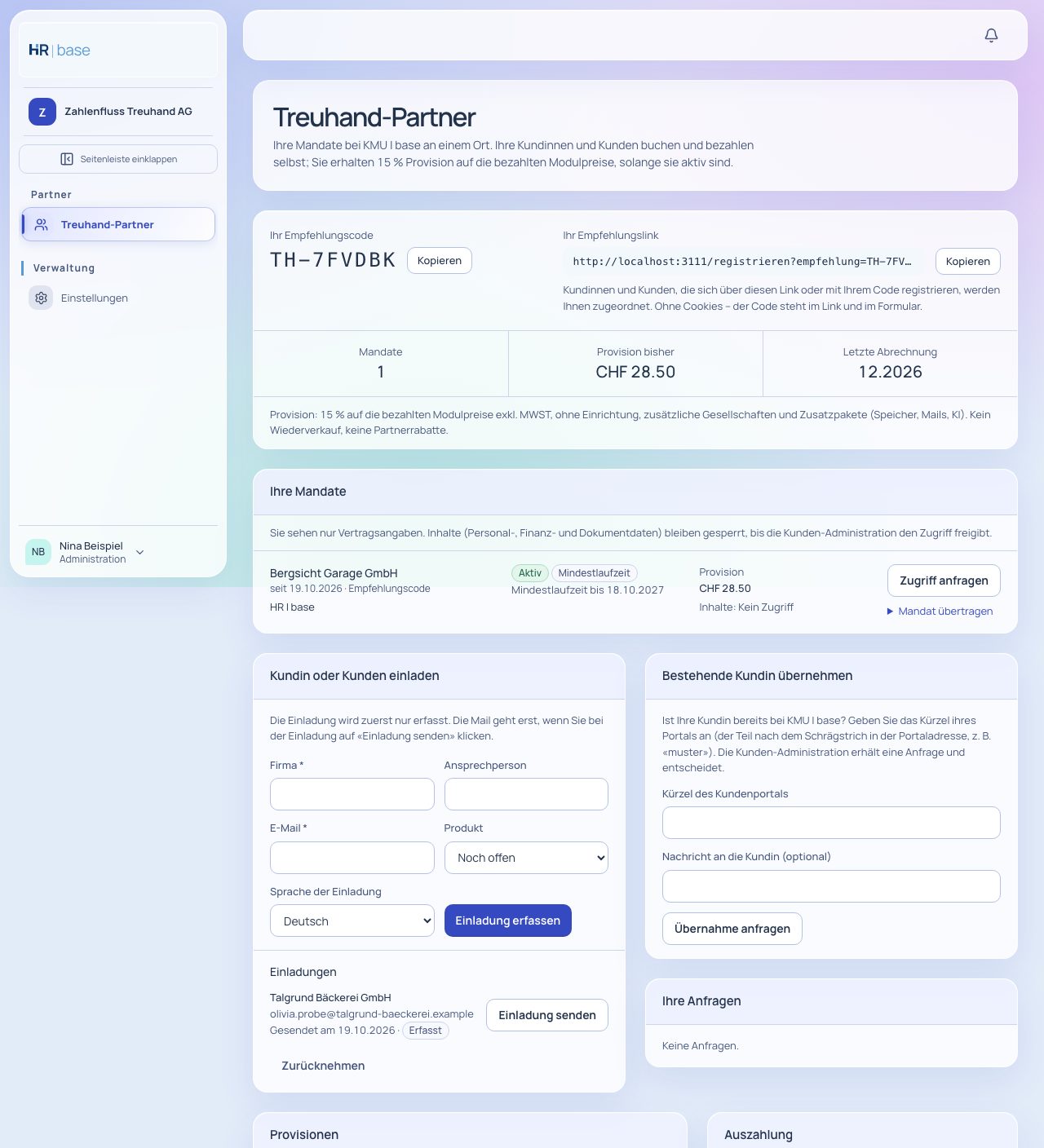
Commission15 % on the app prices paid, for as long as your client is active.5 features
You receive 15 % commission on the app prices paid by your clients, excl. VAT. Settlement is monthly, with a credit note.
All features
- 15 % on app prices paid, excl. VAT, for as long as the client is active.
- On the base price paid, app prices including employees and additional companies, excl. VAT, for as long as your customer is active. Data migration, SMS, post, AI packages, storage, additional emails and a dedicated server are excluded. No commission accrues during the free month.
- Monthly calculation, exactly once per document; credit notes issued to the client reduce the commission.
- Credit note as a document and payout to your verified account.
- No resale, no surcharge, no discount: your clients subscribe and pay themselves.
Your benefits
- Ongoing. Commission for as long as your client is active.
- Fair. Exactly once per document; credit notes reduce the basis.
- Transparent. Traceable settlements in the partner area.
Roles and permissions
- Commissions and settlements are visible to your partner access administrators.
When does the first commission come in?
After your client’s first paid invoice – no commission accrues during the free month.